What's the Wi-Fi password?It's in the portal, with a copy button.
Wi-Fi, house rules and the house manual, always at hand.
Hozbee connects to the PMS you already use and keeps operations moving on their own: guest check-in, access codes, team tasks, police registration, invoicing and compliance, from booking to check-out.
Marta Nowak checked out · Praça 3CDeparture cleaning created for the team
Departure reported to SIBAReceipt kept as proof
Invoice issued to Marta NowakIn the operator's name
Marginal 2A cleaning doneSophie Martin's check-in ready for 16:00
Lukas Becker registered 3 of 5 guestsReminder in the guest portal
Codes available to Sophie MartinWith a picture of every door
Sophie Martin's arrival queued for SIBAGoes out tomorrow, within the deadline
When something changes in the PMS or in the guest portal, Hozbee decides the next step for each rental and records why. Pick an event.
Guest portal readyIn the language the guest picks: PT, EN, ES or FR
GuestOnline check-in ready for all 4 guestsAbout a minute per person
GuestCleaning and welcome created for the 28thWhere the team works: in the PMS or in Hozbee
TeamCapacity checked: 4 guests, licensed for 4Against the property's RNAL licence
ManagerSIBA registration preparedSent the day after arrival, already following the form's rules
ComplianceInvoice details savedName and tax number, if the guest gives them
ComplianceBooking marked "check-in complete"In the bookings list and on the Today screen
ManagerCodes wait for the cleaningThey only appear once the property is ready
GuestCodes released for 16:00At check-in time, with online check-in done
GuestA photo of every door in the portalBuilding door and key safe
GuestWelcome set to "in progress"With the guest's expected arrival time
TeamDeparture cleaning createdFor the team, due by 15:00
TeamDeparture reported to SIBAThe same day, with the receipt kept
ComplianceInvoice issued at check-outOnce per booking, never twice
ComplianceCodes visible until the end of the dayThen they leave the portal; the link still shows the stay
GuestEvery step is logged, with the rule that triggered it.
Bookings from every channel in one list, with a flag per obligation: check-in, codes, registration, invoice and tasks. What needs you comes first.
| Stay | Guest | Property | Check-in | Codes | SIBA | Invoice | Tasks |
|---|---|---|---|---|---|---|---|
| 23 → 25 Oct | Sophie MartinFR · Airbnb · 2 | Marginal 2AT1 | Complete | At 16:00 | Tomorrow | At check-out | Cleaning done |
| 23 → 26 Oct | Lukas BeckerDE · Booking.com · 5 | Farol 5Villa | 3 of 5 | Waiting for check-in | Tomorrow | At check-out | Restock 15:30 |
| 20 → 23 Oct | Marta NowakPL · Booking.com · 2 | Praça 3CT1 | Complete | Until end of day | Departure reported | FT 2026/318 | Cleaning in progress |
| 21 → 26 Oct | Lucía GómezES · Direct · 2 | Foz 4DT1 | Complete | Viewed | Arrival reported | At check-out | Cleaning late |
| 26 → 29 Oct | Camille DurandFR · Airbnb · 2 | Pescadores 1AT2 | Complete | 26th, 16:00 | After arrival | At check-out | Cleaning on the 26th |
| 28 Oct → 1 Nov | James CarterGB · Airbnb · 4 | Largo 1BT1 | 0 of 4 | Waiting for check-in | After arrival | At check-out | Welcome on the 28th |
| 30 Oct → 1 Nov | Rui AlmeidaPT · Direct · 2 | Marginal 2BT1 | 1 of 2 | Waiting for check-in | Not required | At check-out | — |
Demo screens: bookings, guests, amounts and figures are made up.
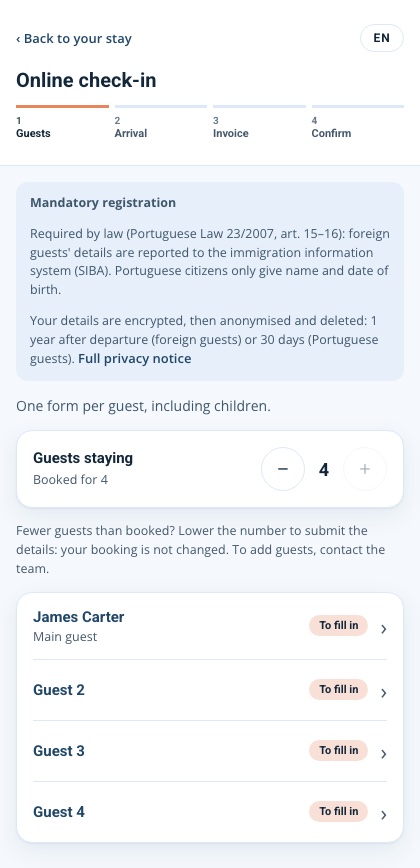
The guest checks everyone in, already following the SIBA registration rules. When everything is ready, they see how to get in: every door with its picture and its code.
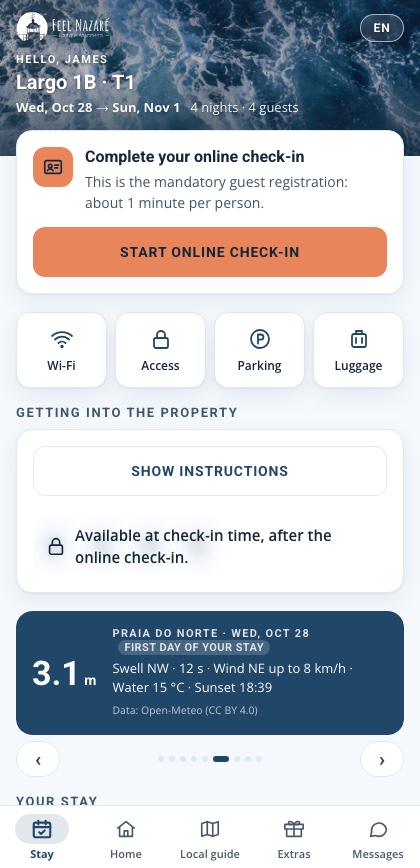
One link per booking, no app to install. The guest picks the language.
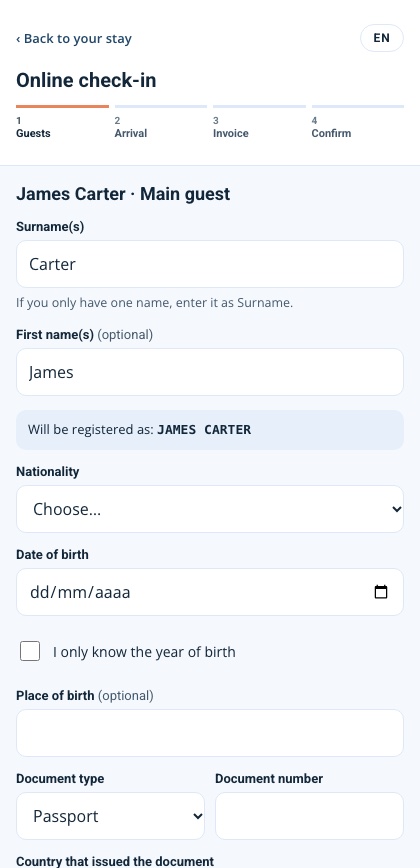
About a minute per guest. Hozbee checks the details and says what's missing.
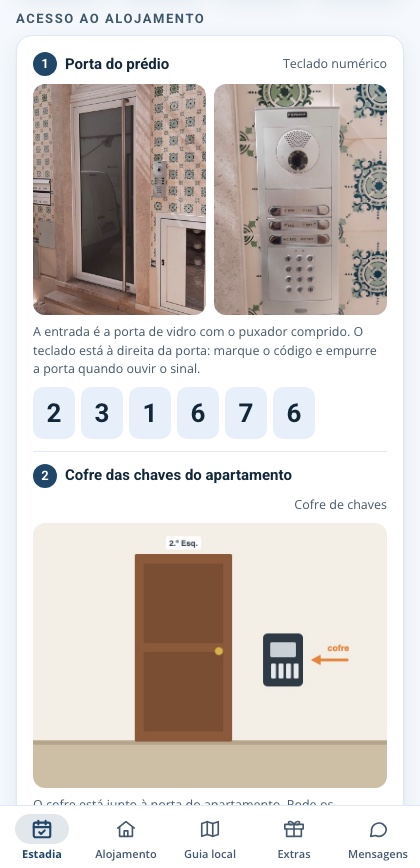
Codes appear when the conditions you choose are met: check-in done, property clean, the right time.
The cleaning is done, the codes appeared under the conditions the manager chose and the house manual is in the guest's language. Nobody had to phone anybody.
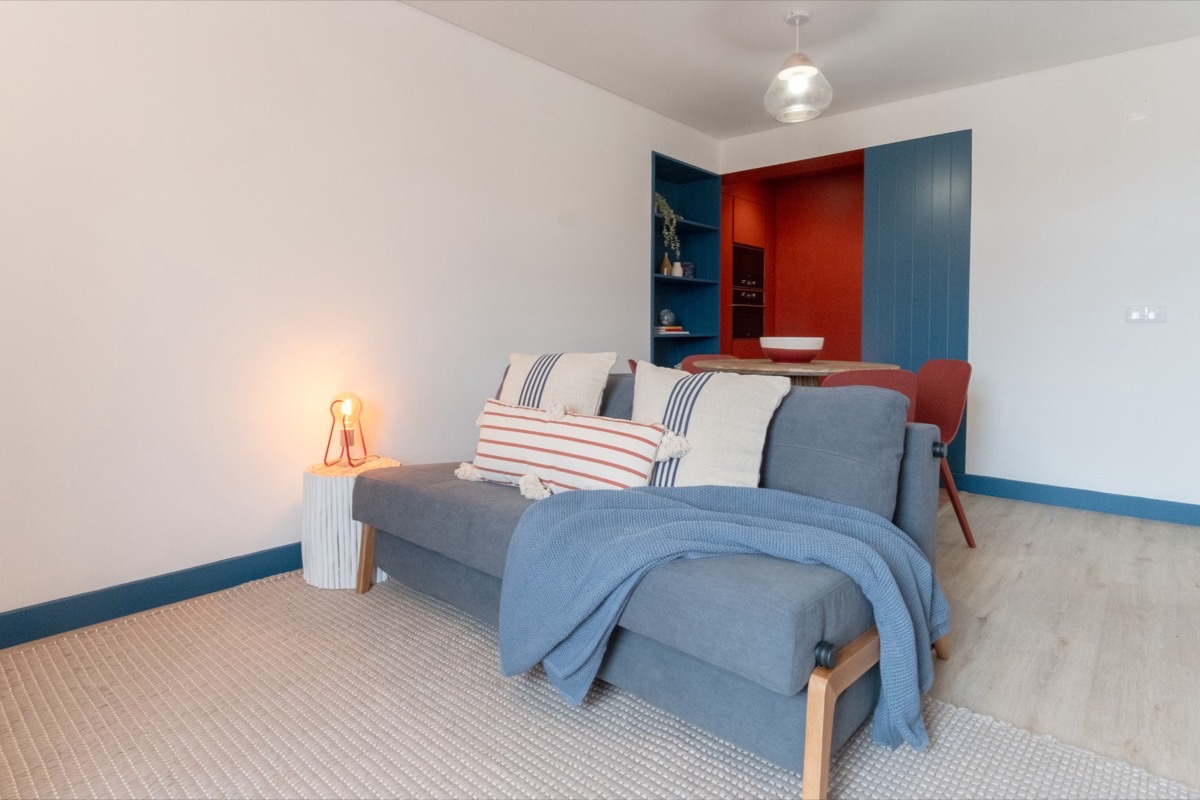
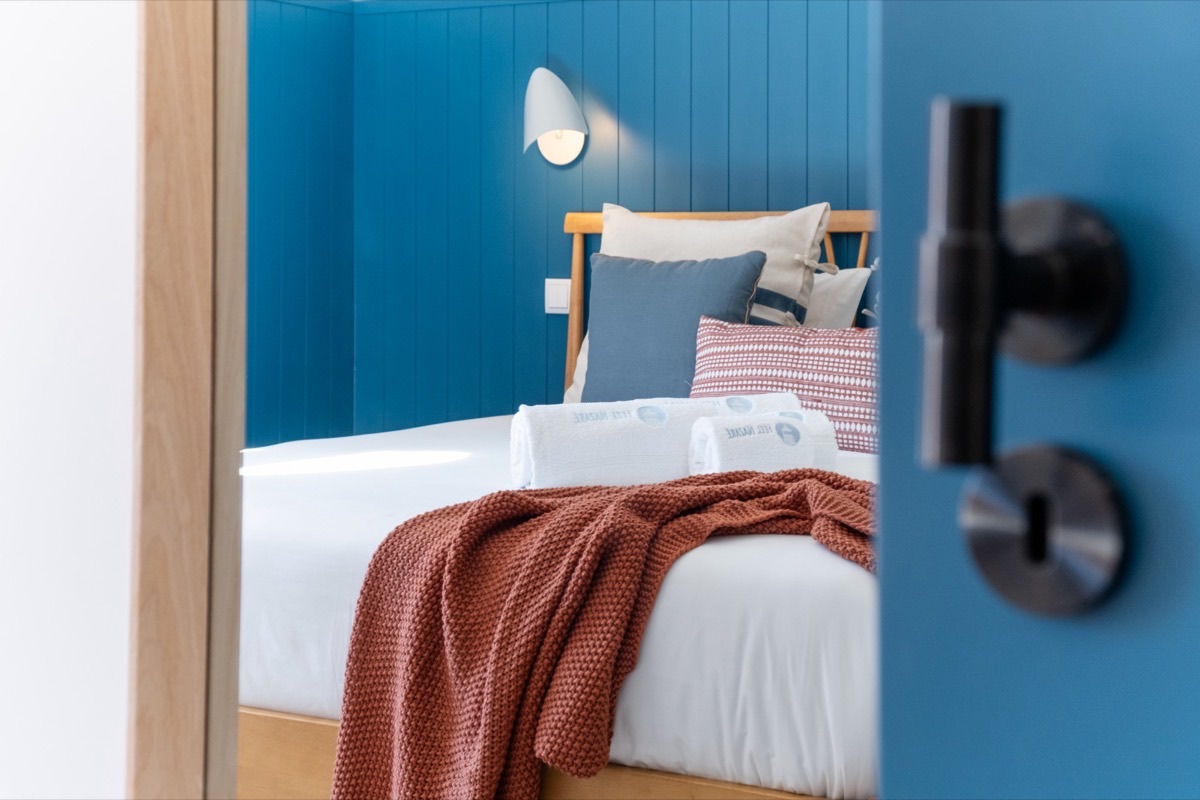
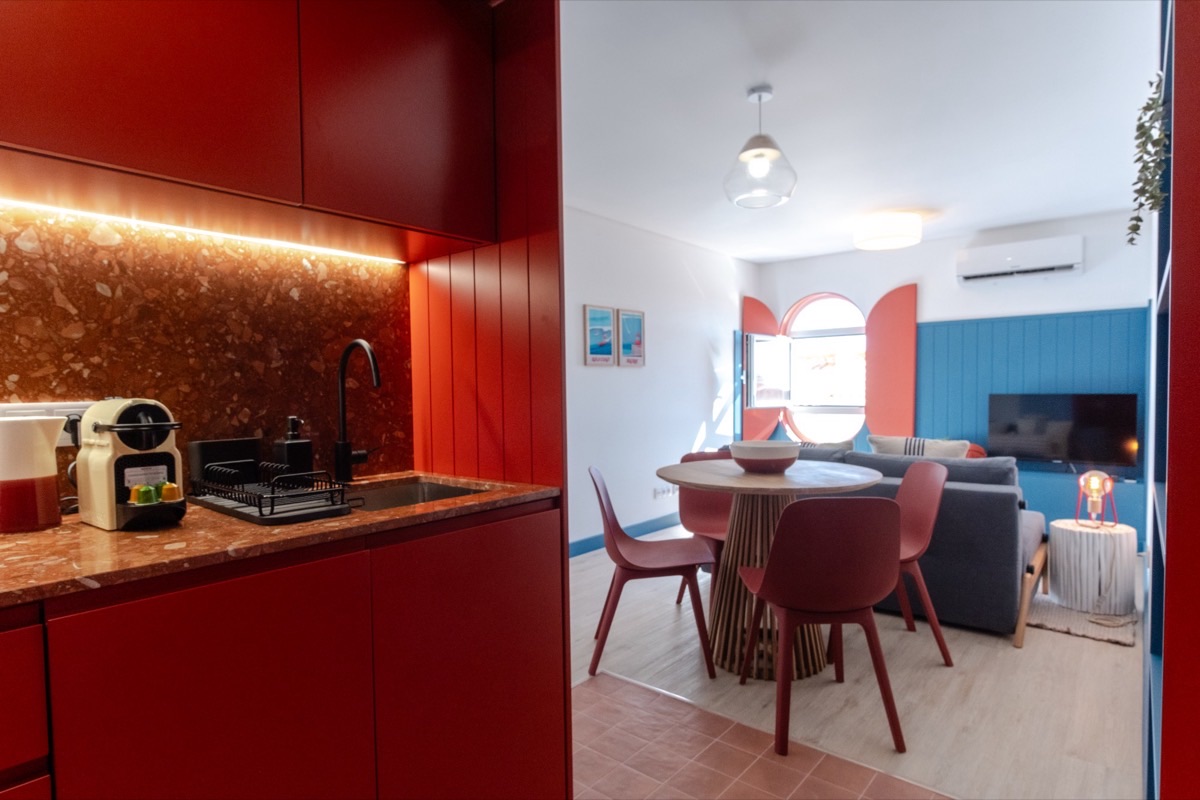
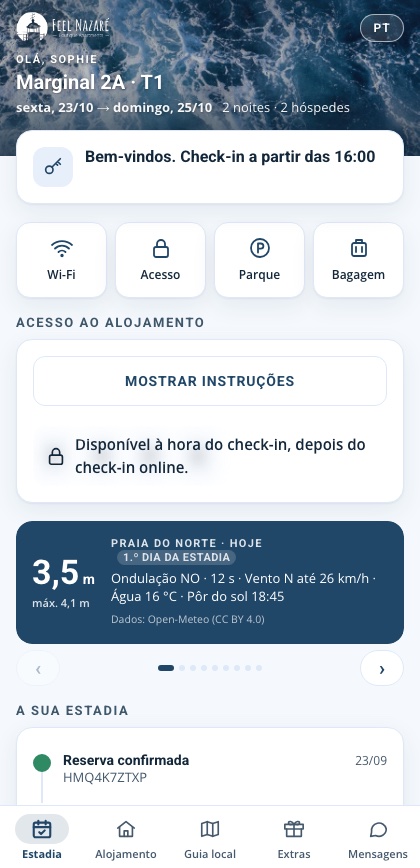
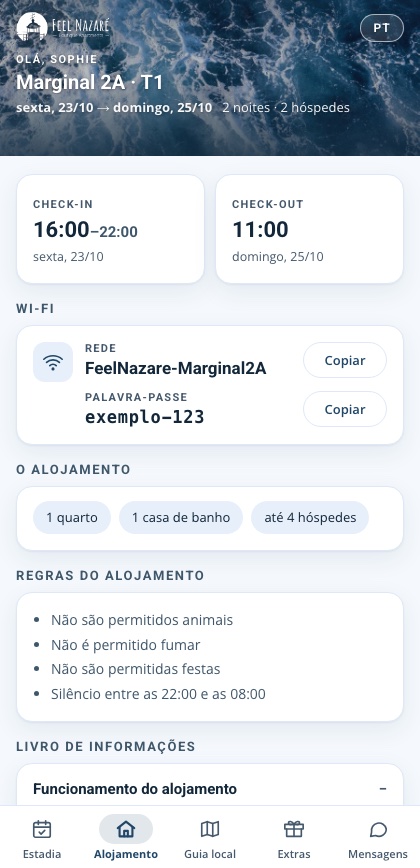
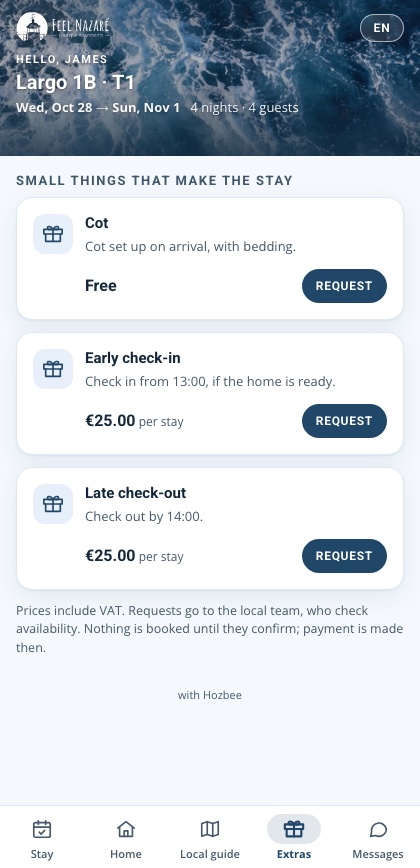
One portal per booking, in the manager's colours and name: welcome, check-in, access, house manual, local guide, sea conditions and extras.
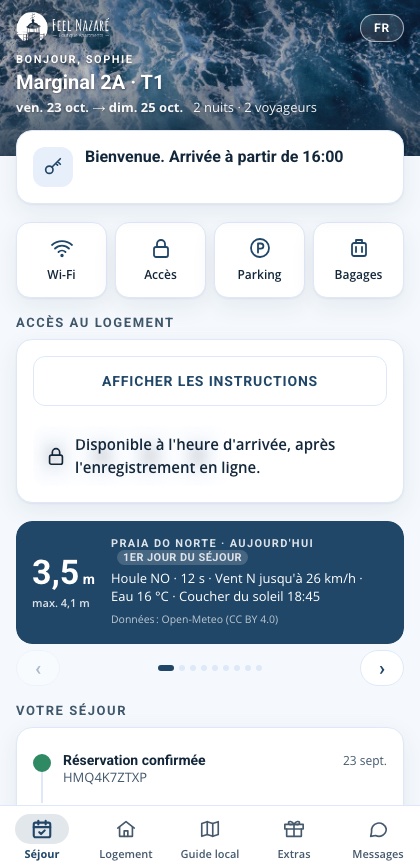
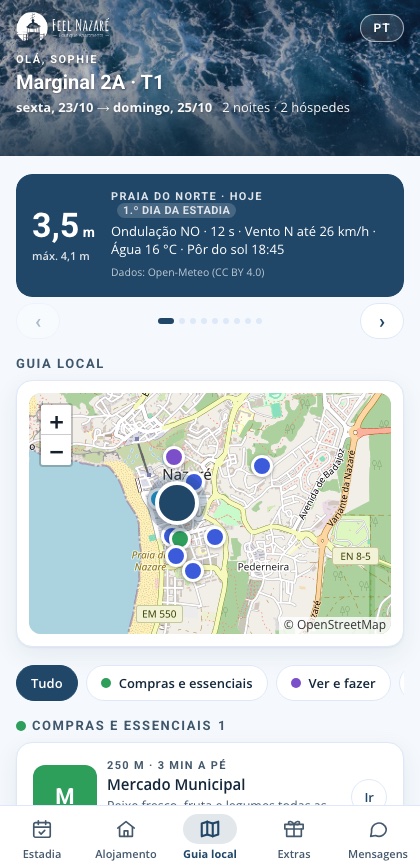
Every property has its own local guide, with a map and the walking distance to each place. Guests find the beach, the market or the recycling point without asking.
What's the Wi-Fi password?It's in the portal, with a copy button.
Wi-Fi, house rules and the house manual, always at hand.
I'm at the door and don't know how to get in.A photo of every door and its code.
Building door, key safe, apartment: step by step.
The codes arrived before the cleaning was done.They appear once the property is ready.
Under the conditions you choose: check-in time, check-in done, cleaning finished.
Send me a photo of your passport.Everyone checked in, following SIBA rules.
Encrypted details, deleted within legal periods, never on anyone's phone.
Where can I park? Where does the rubbish go?A local guide with a map and distances.
Parking, recycling points, beaches and sights.
Can we stay a bit later?Extras requested in the portal.
Late check-out, early check-in or a cot, with the price shown.
What time are you arriving?Expected time at check-in.
The team plans the welcome without calling.
I don't speak Portuguese.Portuguese, English, Spanish and French.
The interface and the house manual, in the chosen language.
The whole day on one screen: who arrives, who has checked in and what needs you.
Everyone sees what is theirs today, by time and property. Anything late stands out.
A portal in the guest's language, with the manager's brand: check-in, codes, house manual and extras.
When something happens and the conditions are met, Hozbee acts. Start from a ready-made example or build your own rule from simple lists, no code.
Demo screens: bookings, guests, amounts and figures are made up.
What the law asks of every property and every stay, done from data you already have, with proof kept.
Arrivals go out the day after check-in and departures the same day, with deadlines in working days and each SIBA receipt kept as proof.
Invoices are issued through certified software, at check-in or check-out, in the name of each property's operator, and never twice for the same booking.
Each municipality's rules, the taxable nights and the monthly return, prepared from the stays and registered guests.
Hozbee cross-checks the listing in the PMS, the bookings and the RNAL licence, and reminds you of what expires: insurance, extinguishers, mandatory books.
Demo screens: bookings, guests, amounts and figures are made up.
Hozbee doesn't replace the PMS, it works on top of it. Every connection goes through a single service, with a closed list of requests, credentials encrypted per customer and writes limited to what was agreed.
To get started, we ask for:
Servers in France, with no data leaving the European Union.
Documents and identity data encrypted, with every access logged.
Identity data is deleted within the legal periods, counted from the reported departure.
Keys to external systems stay in one service and never reach the browser.

We were born on the Atlantic coast, among bookings that arrive at any hour, teams always on the move and guests from all over the world. Ten years of running short-term rentals showed us where time gets lost: in tasks done by hand, repeated, copied from one place to another.
To that experience we added another: years of automation and technology in regulated sectors, where every obligation has a deadline and every step leaves a record. Hozbee is born from that meeting.
We're still polishing the last details. If you'd like to see Hozbee on your rentals before the premiere, or connect your system to it, get in touch.
Short-term rental managers and owners, and partners who want to connect their system to Hozbee: write to us.
hello@hozbee.com